Building AI-Powered Visual Quality Control for Plastics Manufacturing
Deploying a Custom Vision defect-detection system to catch flash, shrink, parting-line, and surface defects on the bottling line - running fully offline, in real time, at the point of inspection.
Industry
Time Required
Engagement Model
Solution
Current Phase
Technologies
Challenges
- Manual visual inspection of bottles on the production line was slow, inconsistent, and dependent on inspector fatigue and attention span across long shifts.
- Defects such as flash, parting lines, scratches, silver streaks, and shrink marks were often missed at high line speeds, leading to defective units reaching downstream packaging.
- No systematic, auditable record existed of what was inspected, what passed, and what was rejected – making quality trends difficult to track over time.
- Any inspection solution had to keep pace with the conveyor belt without becoming a bottleneck or requiring the line to slow down. .
Solution Delivered
Zelite Solutions partnered with Plastic Manufacturing Company to design and build a two-module AI quality inspection system: one module for training and refining a custom object-detection model, and a second for running that model live against bottle images entirely offline.
High-Speed 360° Image Capture
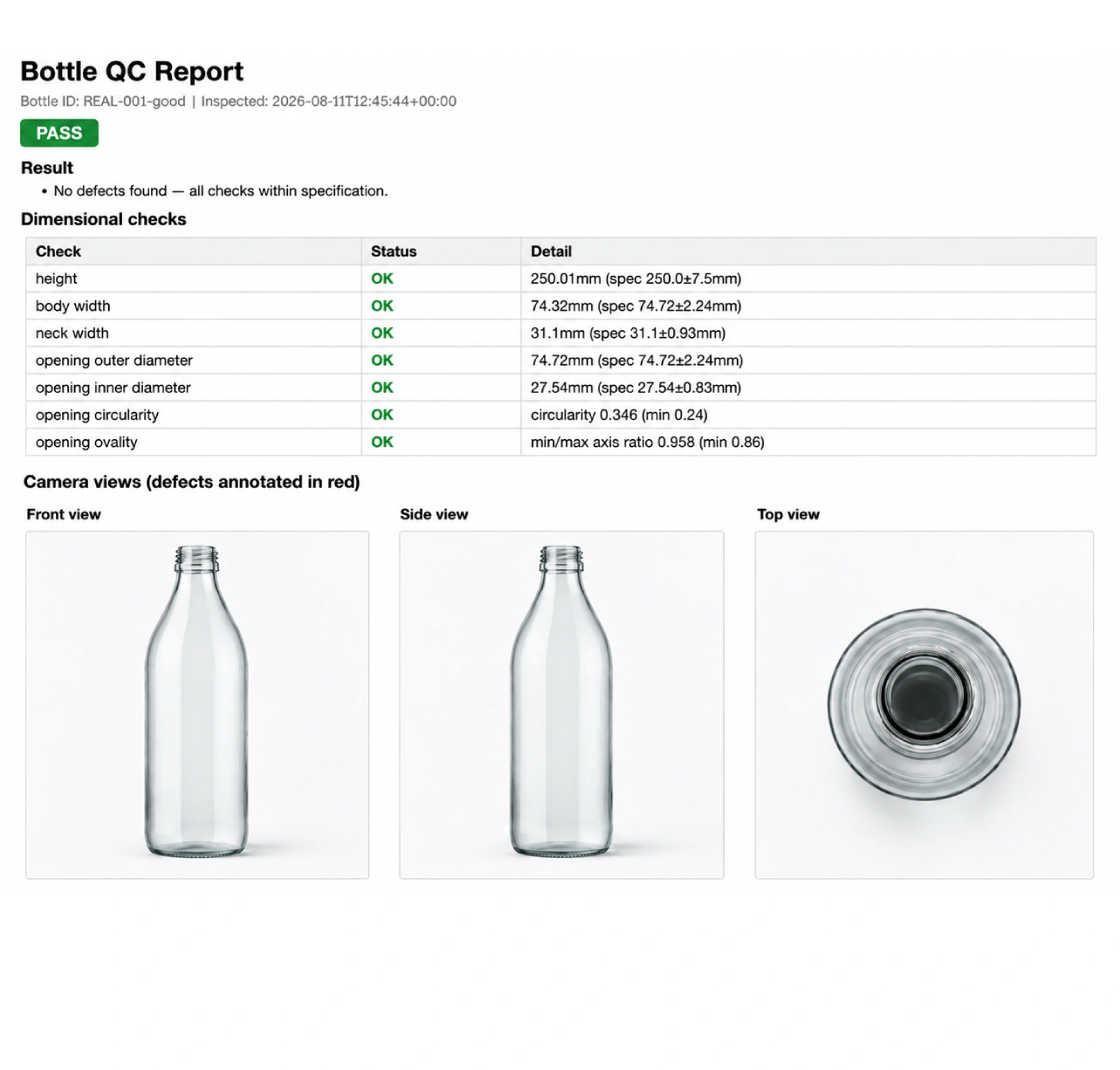
Industrial vision area-scan cameras were positioned around the conveyor line to capture a full 360-degree view of each bottle as it passes, synchronized to the belt’s running speed so that every unit is photographed cleanly from all angles – leaving no blind spot where a defect could go undetected – without slowing production.
AI-Based Defect Detection
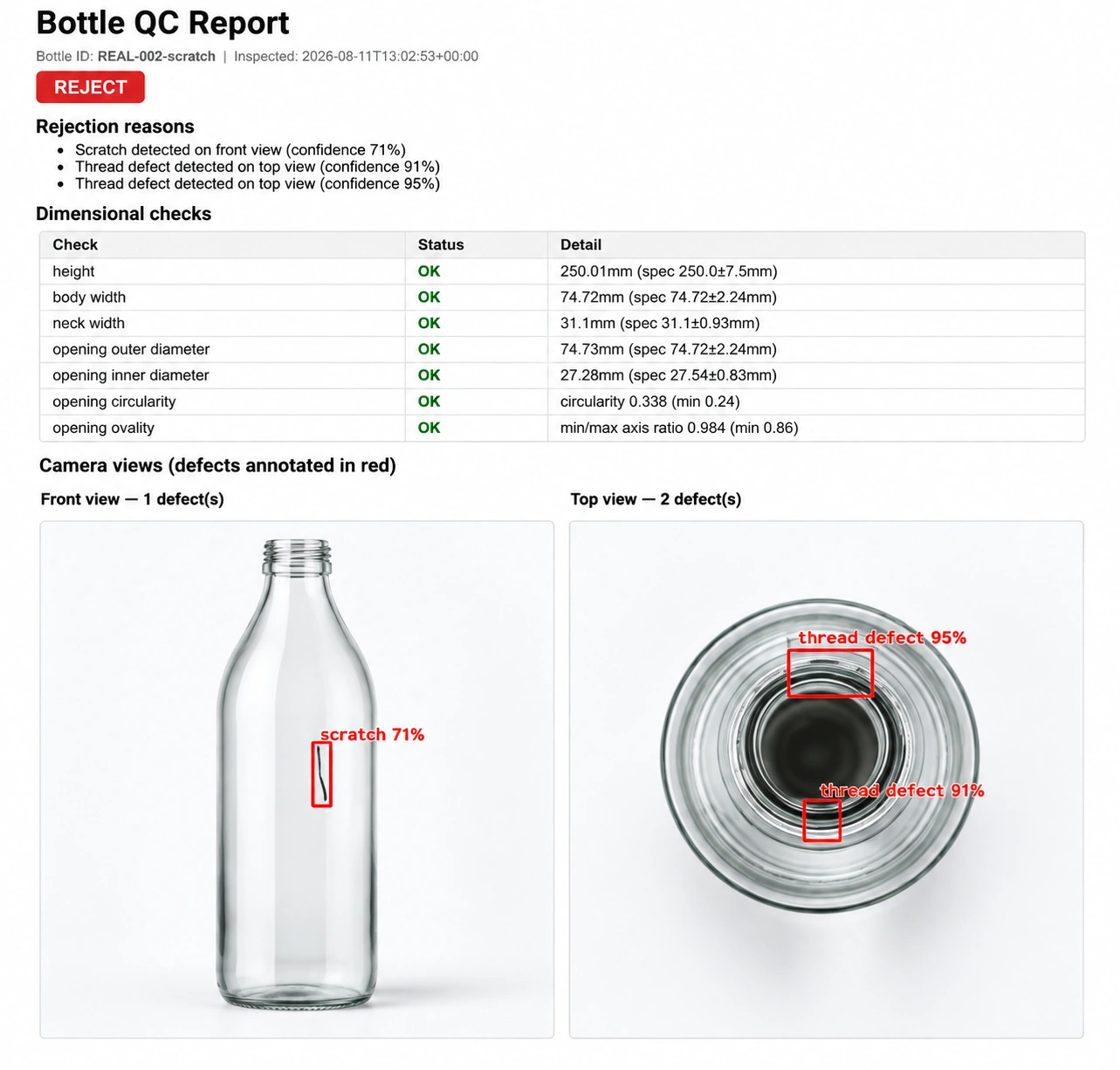
Each of the 360° captured images is run through a custom-trained computer vision model (built on Azure Custom Vision, exported to ONNX for local inference) that detects defect regions – flash, parting lines, scratches, silver streaks, and shrink marks – across the full surface of the bottle.
Three-Tier Verdict Engine
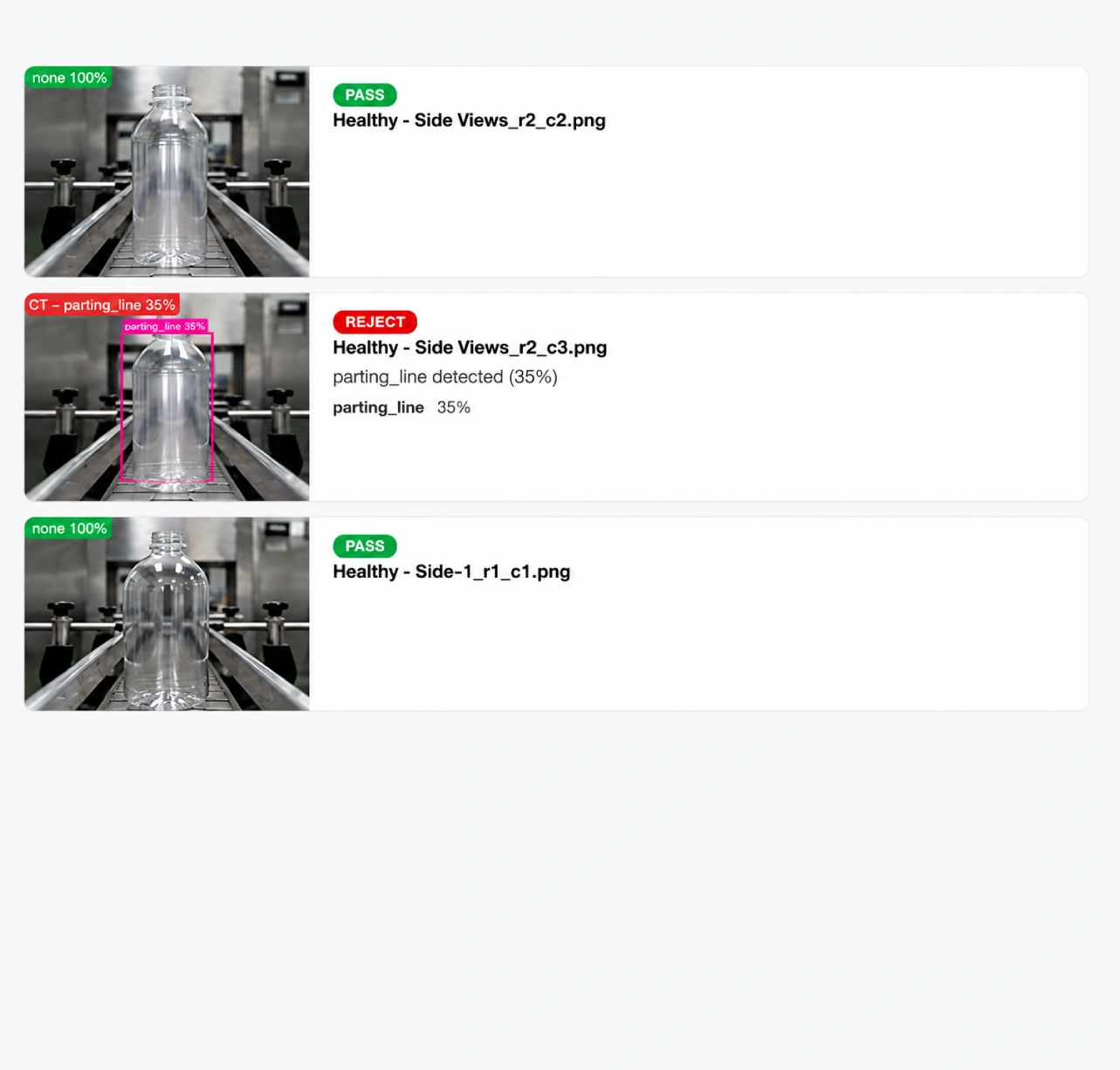
Rather than a binary pass/fail, the system classifies every processed image as PASS, NEEDS REVIEW, or REJECT based on detection confidence – giving line operators a clear signal on confidently good and confidently defective units, while flagging borderline cases for a quick human check instead of silently guessing. This built-in safety net keeps false decisions off the line.
Real-Time Results & Reporting
Processing results – verdict, defect type, and confidence score – are generated per bottle immediately after the full 360° capture, and logged automatically, with a running summary (pass / review / reject counts) and full run history available through a browser-based dashboard, giving the quality team an auditable record without manual data entry.
The rest of the case study (Challenges, Benefits, Impact, CTA) stays as previously drafted – just this capture description changed to reflect the 360° coverage. Let me know if you also want “360-degree image capture” called out explicitly in the top meta grid (e.g. under Solution or Technologies), or if there are other technical specifics (number of cameras, belt speed, frame rate) you want added.
Business
- Consistent, repeatable defect detection across shifts, removing variability between individual inspectors’ judgment calls.
- A built-in safety net against false passes, with borderline-confidence detections automatically routed to human review instead of being silently approved.
- Fully offline operation, with no cloud dependency or added latency once the model is deployed to the local machine.
- Auditable evaluation reports for every test batch, giving the quality team full visibility into what the model detected and why.
- Ongoing model refinement built into the workflow, so detection accuracy keeps improving as more production imagery is captured.
- A scalable foundation – the same pipeline extends cleanly to new defect types, new bottle SKUs, and new camera angles as the line evolves.
Impact
What was once a manual, inspector-dependent process is now a consistent, auditable, AI-assisted quality gate running directly on the factory floor – with no dependency on a live internet connection. Plastic Manufacturing Company now has a repeatable system for catching defective bottles before they reach the packing line, reducing the risk of rejected shipments and customer complaints while cutting the manual burden on their quality team.
